
The Developer’s Guide to Mastering On-Page SEO
On-Page SEO is the easiest way to improve your website’s visibility. I will walk you through all the checklist items that you need to do to give your site the best possibility of ranking in the top 10 results. ✌
⚡There is a downloadable checklist in the end.
You spent three months perfecting your codebase. The React components are modular. Your backend is a work of art. But when you launch, the only visitor is your mom and a stray bot from Russia.
This is the “Ghost Ship” syndrome. You built a magnificent vessel, but it’s invisible on the high seas of the internet.
Why?
Because search engines don’t see your page or even the code the way you do. They don’t care about your elegant recursion or your clever use of microservices. They care about the markers you leave in the DOM.
On-Page SEO is the art of translating your technical excellence into a language Google understands. If you ignore it, you’re essentially building a business for an empty room.
Let’s fix that. We’re going to treat SEO like the engineering problem it actually is.
- The Developer's Guide to Mastering On-Page SEO
- Generative Engine Optimization (GEO) & Content Extractability
- Server-Side Rendering (SSR) Specific Checks
- Metadata and Crawl Directives
- Semantic HTML & DOM Architecture
- E-E-A-T & Structured Data
- Mobile First is the Only Way
- Stop Overthinking and Start Shipping
Generative Engine Optimization (GEO) & Content Extractability
In 2026, you must have seen AI overviews in search results. Engines like Perplexity, ChatGPT, Gemini or Claude reply on content that are ‘citation ready‘.
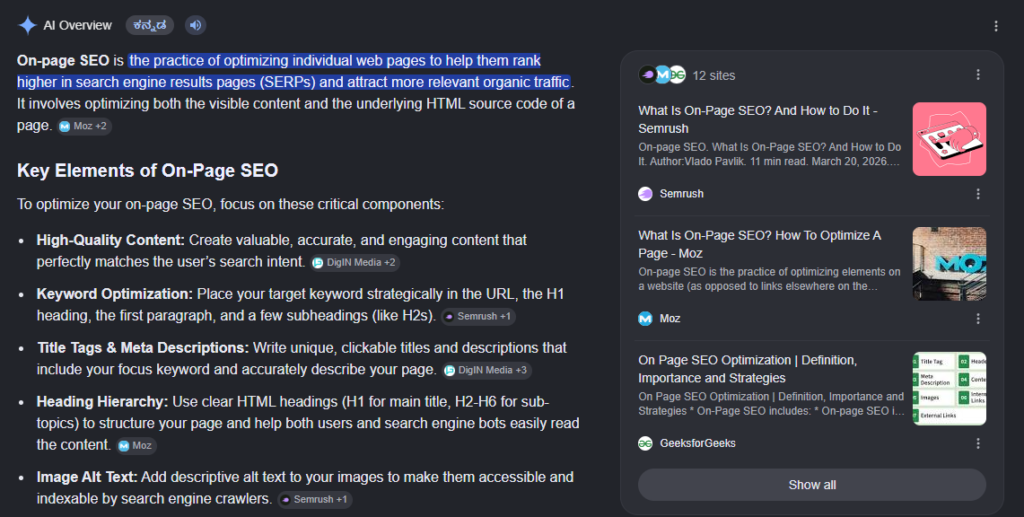
Getting there is not easy. Also, there are differences in how AI providers extract information.
There is one thing common in what they all do.
Extraction.
The idea is simple. A Google search bot crawls your website, extracts the information and feeds it to the GEMINI LLM model. Eventually it returns any relevant result with a citation to the original website.
B.L.U.F. Architecture (Bottom Line Up Front)
If you are writing something for the end human user to consume, the post should summarise what the post is all about in the first 100 or so words.
Check this page for link building. The page has more than 4000 words, but the context is clear to you in the first few seconds. Search engines prefer this as well.
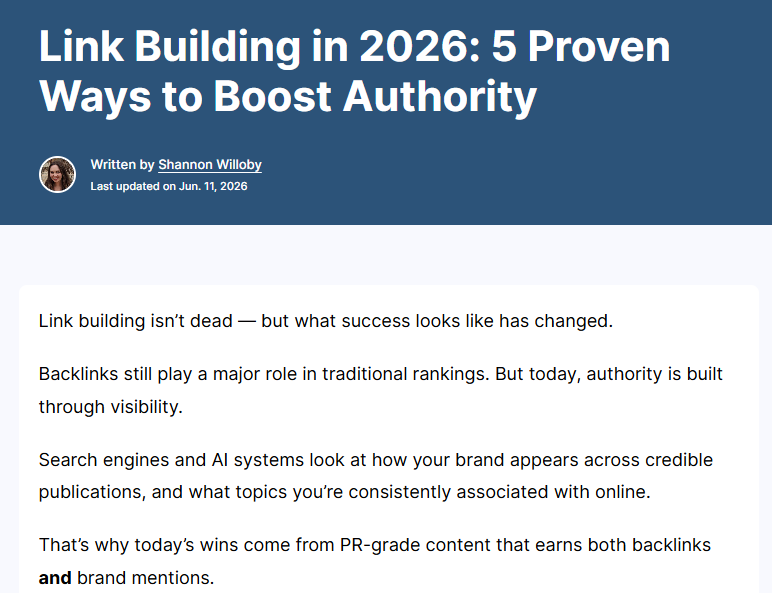
There are post extracts that you can add as well.
The meta description also helps in this. Google tries to populate the subtext in a search result with this. They have a nice guide how to optimise this here. It highlights some basic dos and don’ts that you should take care of.
Several CMS applications will allow you to explicitly add this in your own words.
Formats that are easy to Extract from
Long form content is good.
They are harder for search engine bots to read from though.
If you have ever coded a python application to scrape through content from any website, you will know that picking a relevant piece of text from a paragraph is not trivial.
Here is where the structuring of your website / page helps.
Use clear heading hierarchy
- H1: This should be the main title of the page
- H2, H3: Can be any subheadings or major sub section headings for the page
- H4, H5..: Keep them for child sections
A typical long post is likely to have all of them for readability.
Questions as headers are also a great idea to showcase great content in search.
Millions of queries on Google are just that – questions. Check the Google AI Overview page itself.
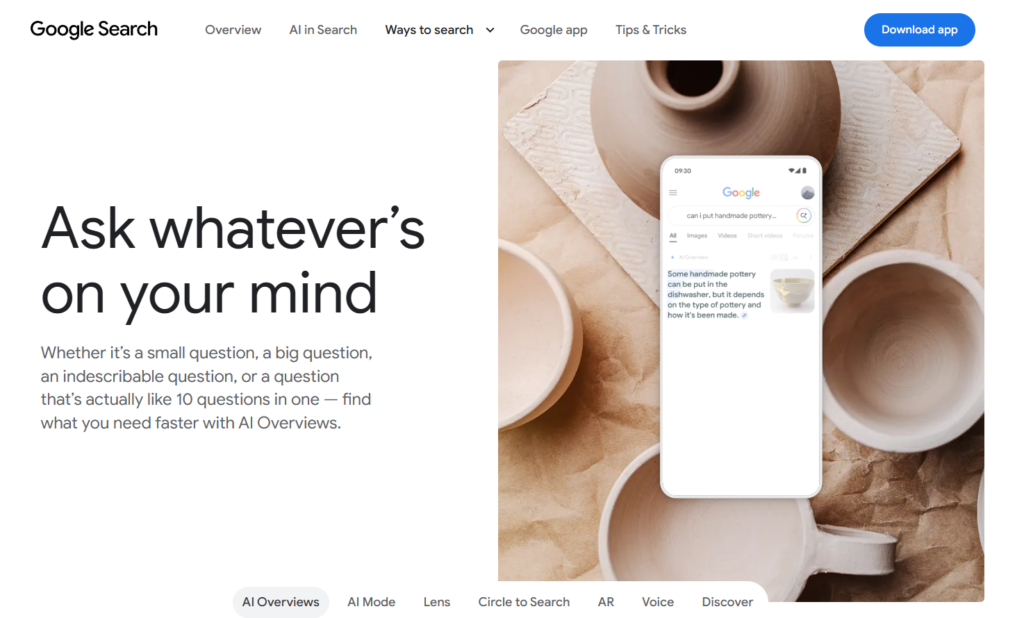
Why do questions like these help?
- They match natural language results. Searches increasingly include long tail keywords. Voice search is also gaining traction. Natural language just follows.
- AI Extraction gets easier if you get a headline with the context in paragraph.
- Human readers are able to skim through the content without dropping off. This increases engagement.
Break up text with Lists, illustrations, images
Plain paragraphs are harder to follow, unless it is a novel you are reading.
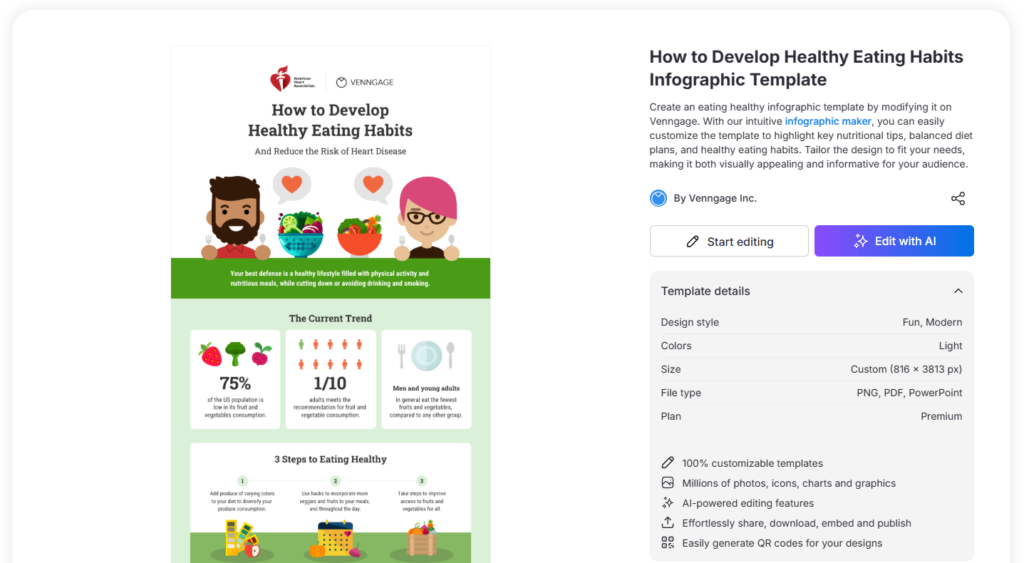
Spice your text up with bulleted lists and illustrations. Most engaging websites have these specific components. Infographics have an added advantage of being shareable on other platforms as well.
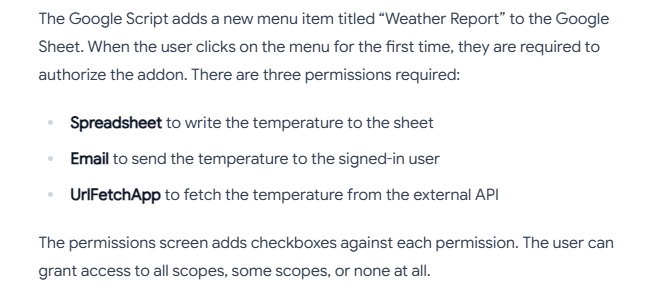
Which is why there are now complete businesses that enable you to create Infographics along.
Use emphasis tags wisely
This is another usability signal.
🌟Emphasize important words or phrases in <strong> or <em> tags. This helps people and search engines understand crucial information.
Overdoing this dilutes your emphasis. Don’t emphasize entire sentences.
- Use tags semantically, for the human reader– Reserve
<em>words where stress is required. Screen readers will often change their tone while reading these out. Keep<strong>only when special importance is implied. - Avoid stuffing keywords– Google heavily penalizes stuffing keywords, whether they are in bold or not. Avoid this.
- Keep the focus on the human.
Semantic Tags
<div> or <span> is generic. To better enclose your content for rich snippets, try to use semantic tags.
Semantic vs. Non-Semantic Elements
- Non-Semantic (
<div>,<span>): Tells you nothing about its content. It is just a layout bucket. - Semantic (
<header>,<nav>,<form>): Clearly defines its content as a page header, navigation menu, or user form.
The Most Common Semantic Tags
<header>: Defines introductory content or a set of navigational links for a page or section.<nav>: Houses major blocks of navigation links for the website.<main>: Contains the dominant, unique content of the document. Only one allowed per page.<article>: Wraps independent, self-contained content (like a blog post or news article).<section>: Groups thematically related content together, typically featuring a heading.<aside>: Marks content indirectly related to the main text (like sidebars or ads).<footer>: Defines a footer for a document or section, usually containing copyright info or contact details.
Why We Use Semantic Tags
- Accessibility: Screen readers use these tags to help visually impaired users navigate a website easily.
- SEO: Search engine bots use them to instantly find and index your most important content.
- Code Readability: Developers can read your code and instantly understand the layout structure without guessing.
Original Content
Any original content gets prioritized. Your page has content that is not available anywhere else.
Does you page publish any critical information for the first time?
Is there any original research that you have added on the topic of discussion?
Any original critique of someone else’s work?
All of these count as original work.
JSON LD Schema, Voice Assistants, Knowledge Graphs and more
A webpage will have text. It should have text that the end user viewing on a web browser reads. It also should have metadata that are required by systems for accessibility, discoverability and other reasons.
For example, a browser text reader will read out the alt tags text for viewers with limited vision.
Here is what you can do.
- Voice: Use emphasis tags when needed. Keep alt tags for images and related content.
- LD JSON Schema: There are specific schemas to use that can better identify the type of content of the web page. There are schemas for articles, FAQs, events, courses, books and so on.
JSON-LD can be difficult to create and manage, especially when there are more than a dozen different content types to optimize for.
You have options.
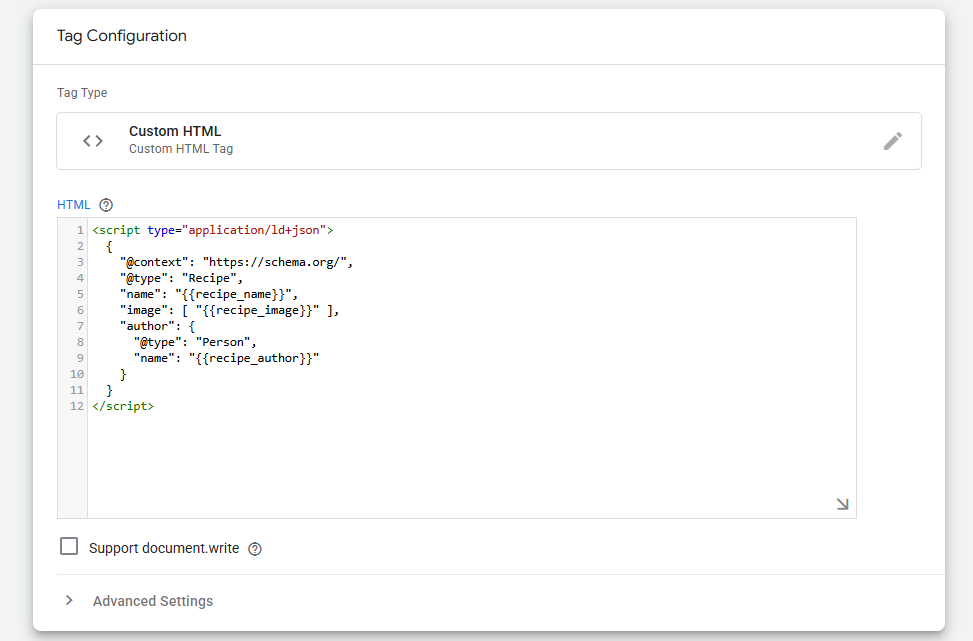
Google Tag Manager
This is relatively simple but assumes some technical knowledge.
- Install the Google Tag Manager and setup on your site.
- Go to Tag – New Tag and select Custom HTML
- Update the code below for the schema to be included automatically in the page.
Server-Side Rendering
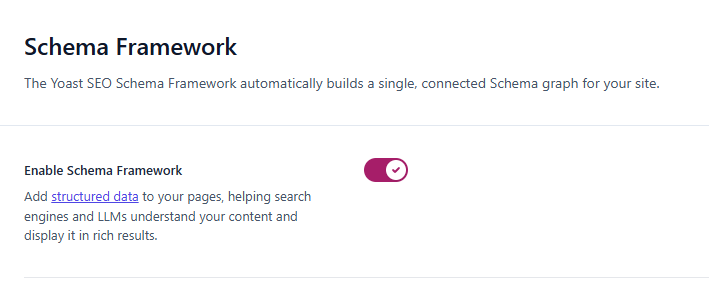
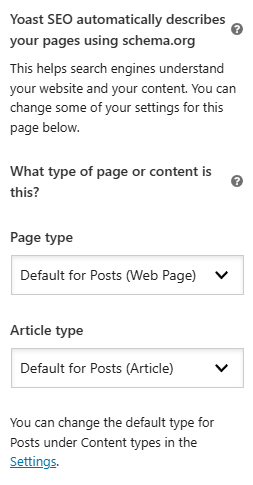
This is simpler. If you are on WordPress, Yoast will do this for you. Just go to Yoast Settings – Advanced – Schema Framework and enable it.
There are similar plugins for most of the major CMS applications out there. If all else fails, you can generate and add them manually.
A few templates are all you need.
How do I generate schemas manually?
Go to this website.
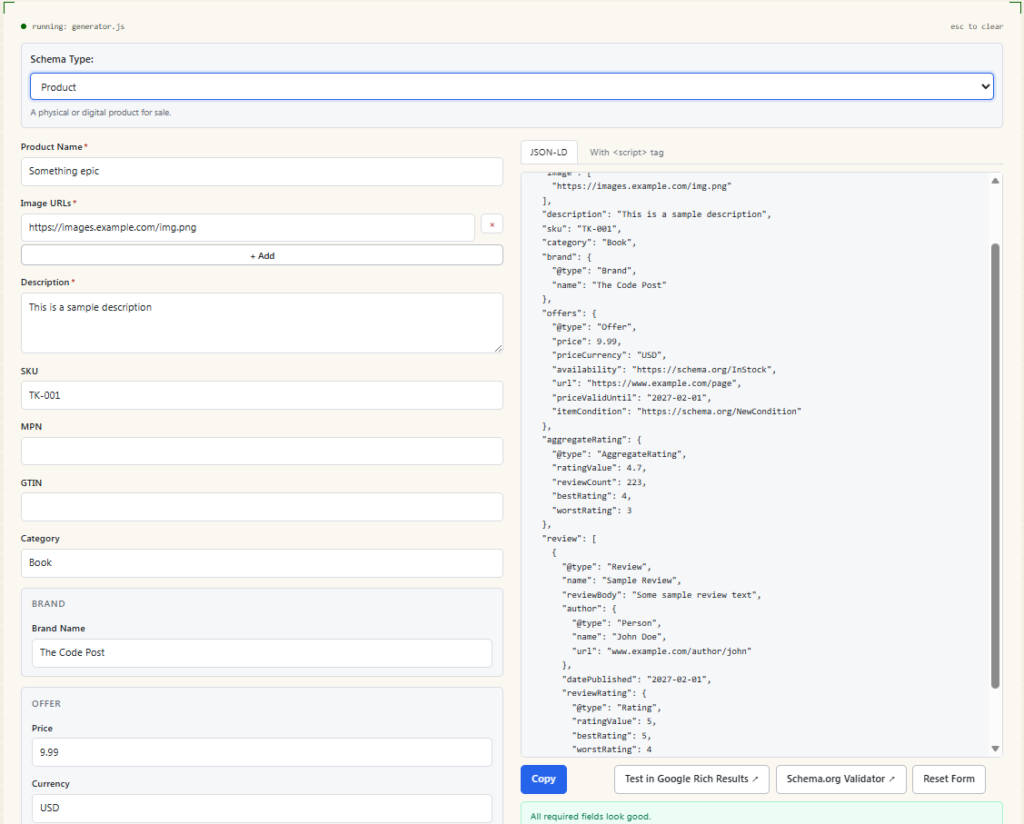
You will have the output to your right.
You can test this in the Validator and the Rich Results Test.
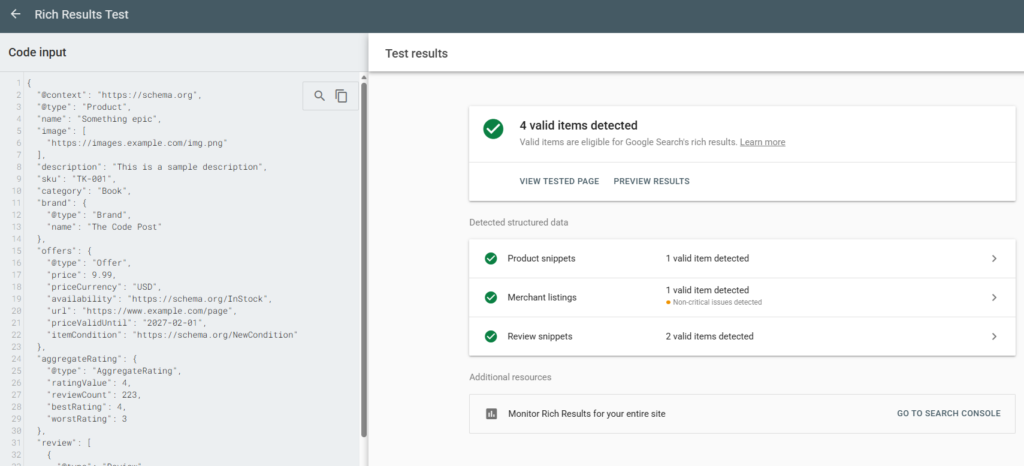
A question will come to mind – do the search engines specifically look for any content schema that helps it parse data?
Ahrefs conducted research on this. They tracked 1885 pages before and after adding schema. The AI citations did not change much. This is what their outcome was below.
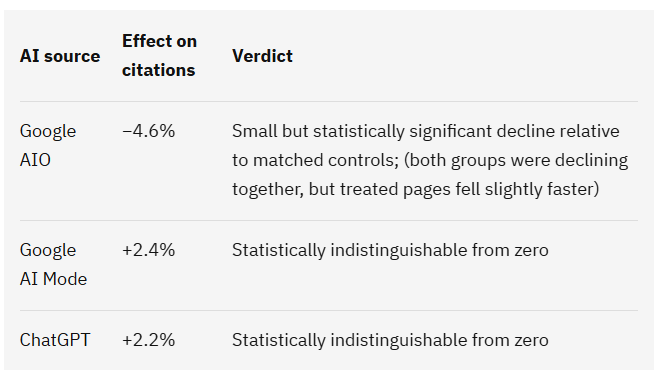
What does this mean? Are schemas useless?
No.
The above study concludes that for pages where AI overview results already appear, the improvement is minimal. Pages that never came up in the AI results are not a part of the study.
It is also always better from an end user perspective to add more detail to any information you provide online than less.
If you feel adding a schema or voice note will improve the website’s AI visibility you may want to consider that.
Is llms.txt necessary?
No. Not for Google Search itself.
Yes, for the AI overviews.
This is what Google says in its own AI Optimization Guide.
LLMS.txt files and other “special” markup: You don’t need to create new machine readable files, AI text files, markup, or Markdown to appear in Google Search (including its generative AI capabilities), as Google Search itself doesn’t use them. Note that Google may discover, crawl, and index many kinds of files in addition to HTML on a website: this doesn’t mean that the file is treated in a special way.
However, it adds the following text just below it. 🙈
It’s completely fine if you decide to create and maintain LLMS.txt files (or other similar files) for other services or systems that use these files. Doing so will neither harm nor help your site’s visibility or rankings in Google Search, as Google Search ignores them.
These are not completely contradictory statements.
llms.txt does not help in search ranking, models like Google’s Gemini or Claude will find it easier to read what is there on your website.
This is how the llms.txt file looks like for The Code Post.
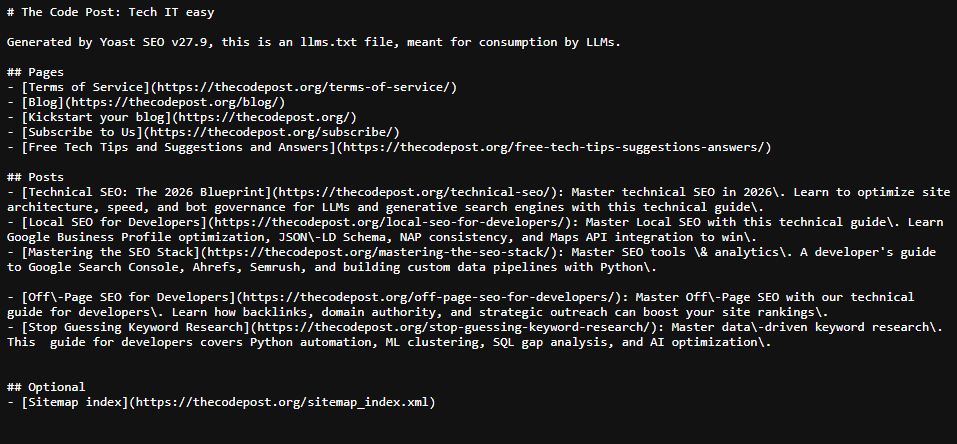
You can manually generate llms.txt as well. It is just that this should be dynamic and is best left to scripts or other applications to create.
Server-Side Rendering (SSR) Specific Checks
There are several SSR checks that you can do. Most of these can be a one-time fix if you are using a CMS like WordPress or Drupal.
Clean HTML Source
Go to your website.
Press Control + U (Command + U) for a Mac. This takes you to the source code of the page – which is the raw HTML, JavaScript and CSS that loads up in your browser.
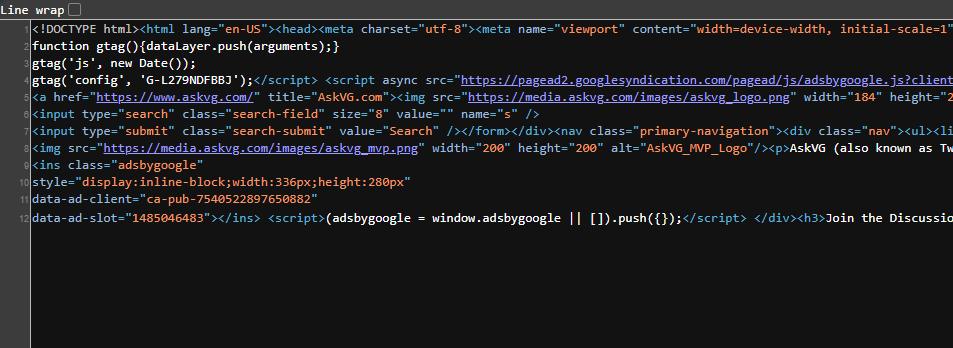
All the critical sections of the page including the text, the meta data you added above should all be visible.
Open up a Private browser window. If you are using a Chromium fork like Google Chrome, Microsoft Edge or Brave, Control/Command + Shift + N should do.
Then press F12 to go to the Console and refresh your page. Check if you see any errors. If you do, right click on the error message and search on how to fix.
Then go to the Network tab and check if you see any errors.
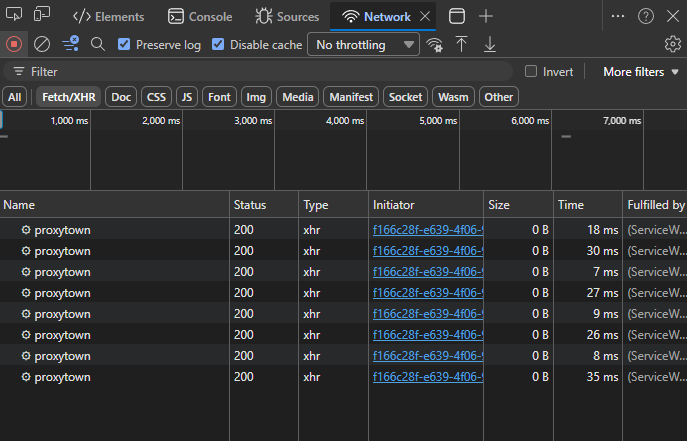
Particularly look for any 4xx or 5xx errors.
URL Structure: Keep it Human-Readable
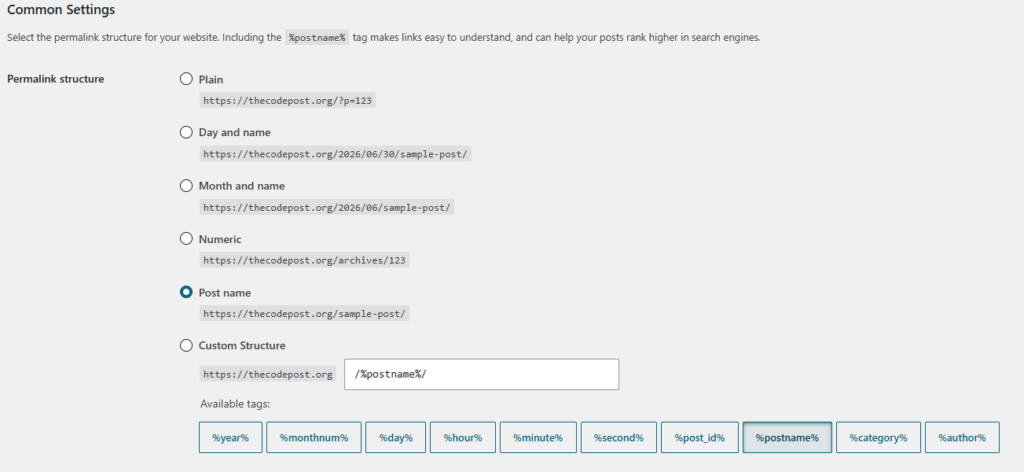
If your URLs look like example.com/p?id=12345&category=9, you’re doing it wrong.
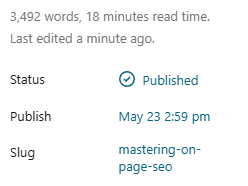
Search engines look at the URL for keywords. Humans look at the URL for trust.
A good slug is short, descriptive, and uses hyphens.
✘ Bad: example.com/blog/12/10/2023/how-to-do-seo-for-devs-final-version-2
✔ Good: example.com/on-page-seo-guide
Keep it flat.
Don’t bury your content under five layers of subdirectories unless it’s absolutely necessary for a massive site architecture.
Hydration and Page Load Performance
Google uses core web vital metrics as one of the metrics to rank their pages.
✌Head on to this detailed post here to focus primarily on Technical SEO improvements and how to implement them.
Measure Page Load Performance
You have multiple methods to measure core web metrics for your website.
The three most important of these are as follows:
- Largest Contentful Paint (LCP): This measures page load performance. LCP should be done within 2.5 seconds.
- Interaction to Next Paint (INTP): INP is a metric that measures how responsive a page feels by tracking the delay in clicks, taps, and keyboard actions throughout a user’s entire visit. INP should be less than 200 milliseconds.
- Cumulative Layout Shift (CLS): CLS measures the largest burst of layout shift scores for any unexpected shifts that happen throughout the entire lifecycle of a page. CLS should be below 0.1 for a page.
Go to PageSpeed Insights and enter your page to check for the core web vitals.
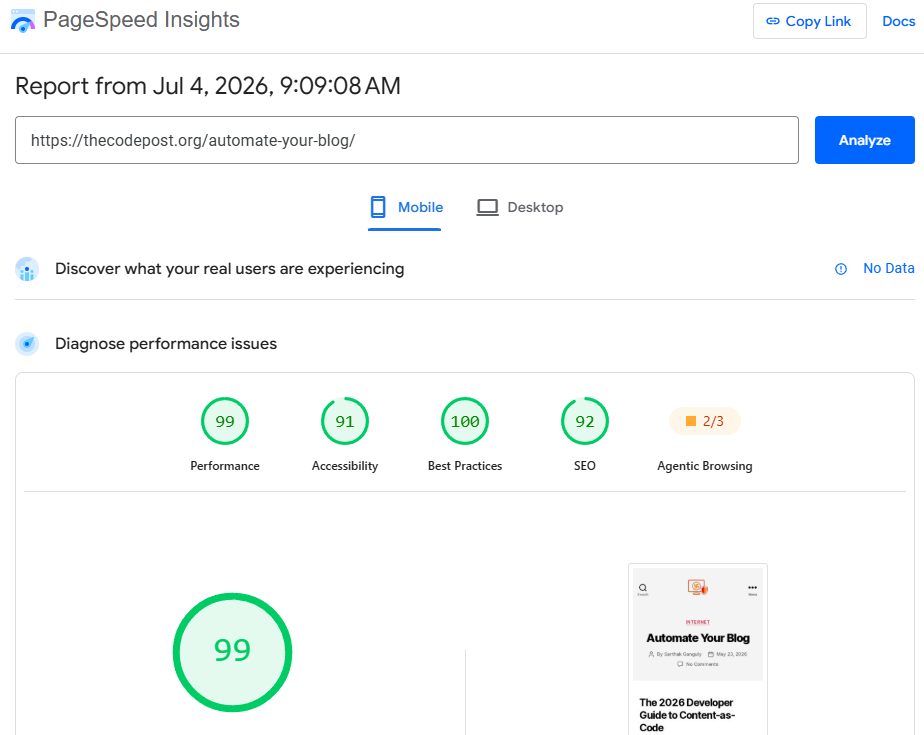
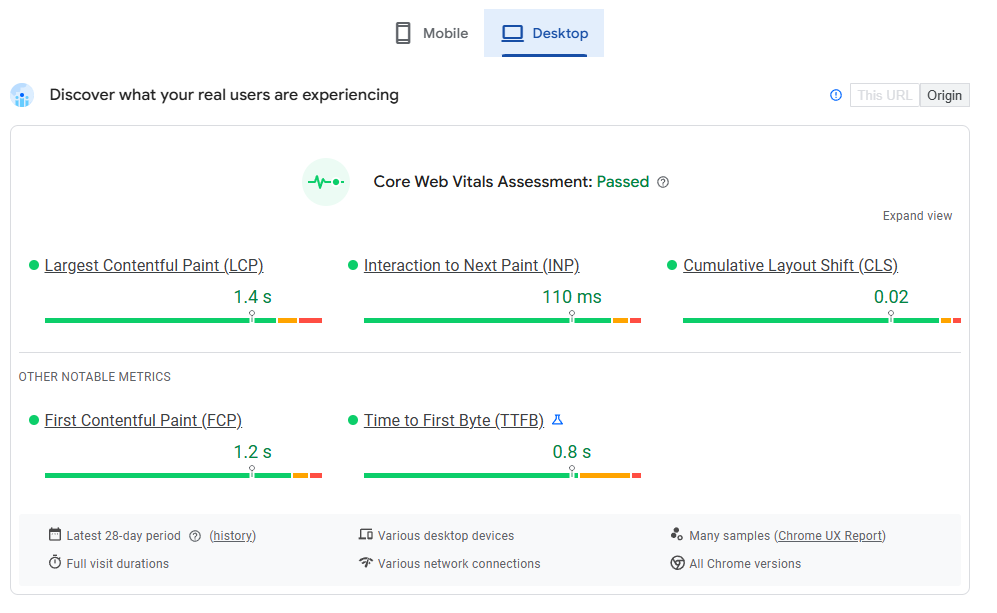
Even if the mobile page does not natively show the core web vitals, like in the case of a new page – you can get the metrics. Just scroll a bit down and you will see a simulated score below.
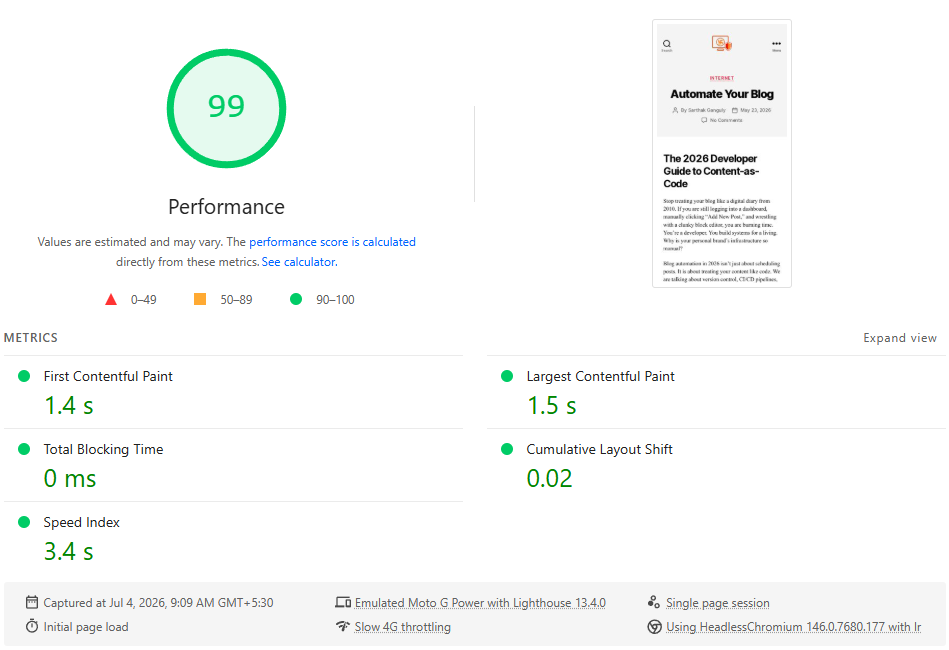
Page Speed optimizations
Content optimizations and compression have been a part of web delivery for years now. This is not new. What has changed recently is the importance Google gives to pages that load faster.
Defer Blocking Requests
Deferring or moving requests inline can help prevent blocking requests. The page has to wait for these requests before it completes loading.
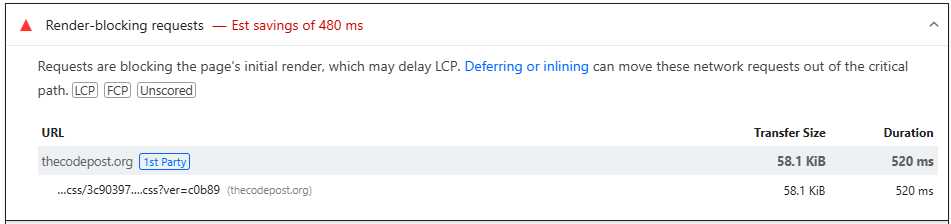
☢ Deferring these without technical knowhow can be tricky. Keep a backup of your website and configurations before you try making any changes.
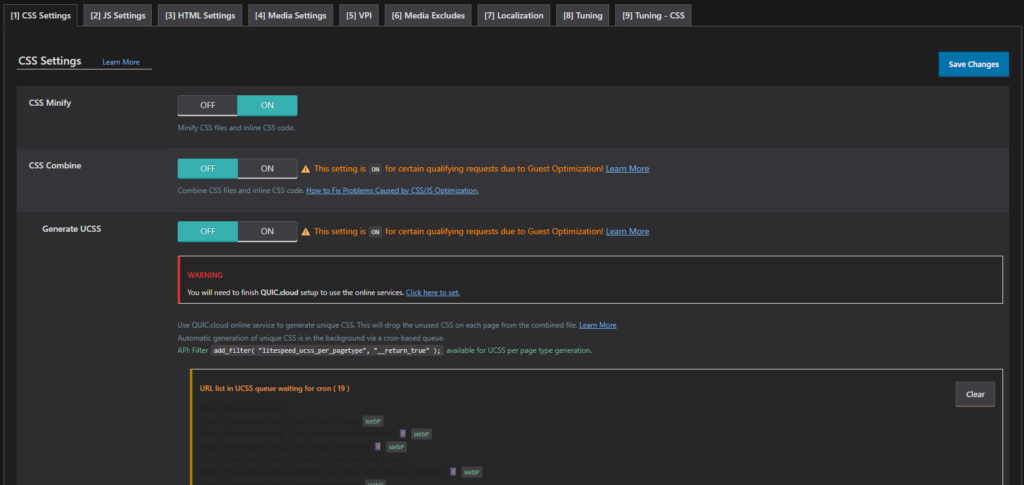
If you are on WordPress, using AutoOptimize can help. It handles minification, caching and lazy loading images, scripts and other resources on your page without you having to do anything manually.
Reduce Chaining Critical Requests
Often a single request will call another and that calls another. Try to minimize this. Preconnect helps out here.
☂ Preconnecting helps speed up future loads from a specific origin by starting part or all of the handshake ahead of time – DNS and TCP for HTTP, and DNS, TCP, and TLS for HTTPS.
<link rel="preconnect" href="https://example.com" />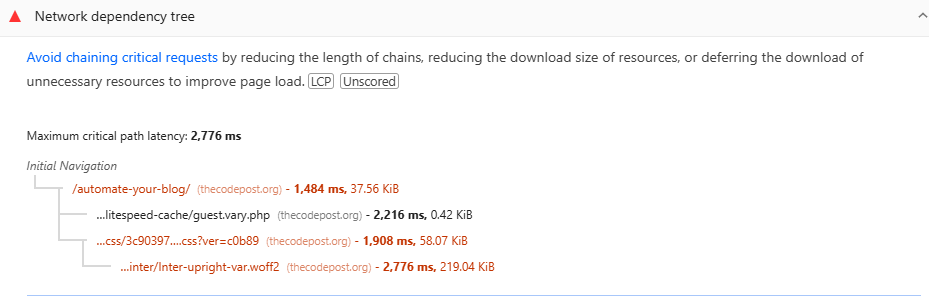
Reduce Page and Image Size and use alternative formats
Images are good. This page itself uses a ton.
But ensure these are optimized for delivery – either by compression or reduced size. A high-definition image may not be required to just illustrate an example.
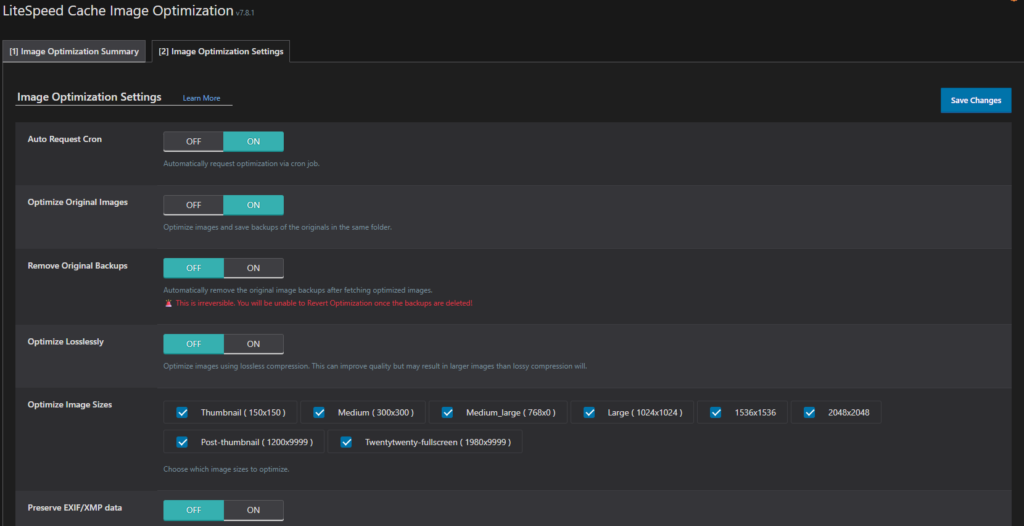
This is relatively easy to automate. Autoptimize will do this for your WordPress site.
LiteSpeed Cache is also great.
The auto optimization settings are available in the Image and Page Optimization settings.
Use a CDN for faster delivery and caching static files
Every page has a ton of static resources that don’t change often.
This includes images, JavaScript, CSS etc. CDNs offload these static resources to different mirrors around the globe. Even if your website is hosted in New York, and there is a request from Vietnam, a local CDN from Mumbai, India can serve the static files while the New York server does the rest.
This speeds up the page load for the end user.
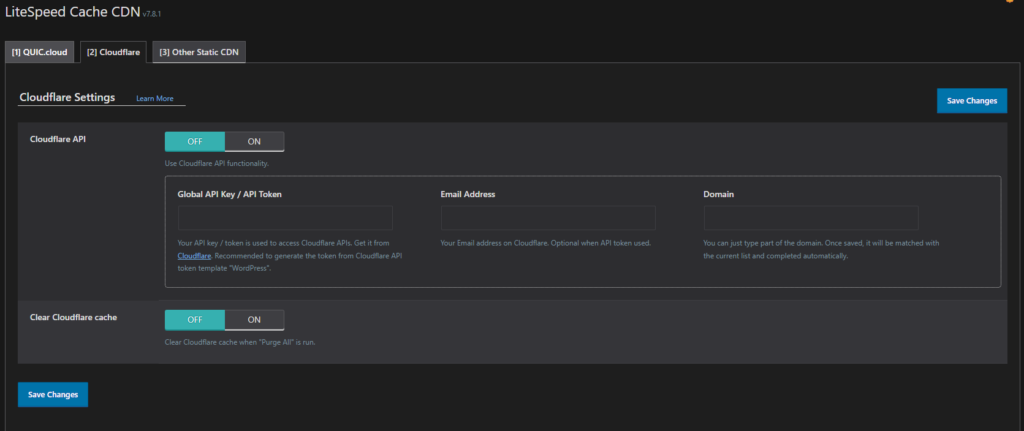
Autoptimize, Lite Speed Cache or almost any other reputed caching plugin will allow you to configure this easily in WordPress. You can manually Cloudflare otherwise. The free tier should suffice for most websites.
Lite Speed supports multiple CDNs. You can get a Cloudflare license for free and then update the token as shown below.
Metadata and Crawl Directives
Metadata describes your web page’s content like title and descriptions, while crawl directives tell search engine bots how to navigate, crawl, and index your website.
SEO Friendly Title Tags
The Page title is the exact text that is seen in the search results.
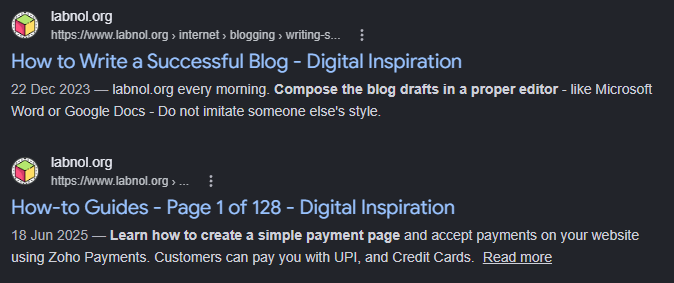
There are some general tips to follow here. Note that this is different from your H1 tag.
- Optimal Length: The titles should not exceed 60 characters. If it’s too long, most search engines truncate it.
- Include keywords first: Keep the most important keywords that you want to rank for first.
- Every Page should be unique: Every page should have unique titles. Keeping generic titles like “Home” or “Contact Us” are less useful.
- Include Brand Name: Keep a pipe or hyphen separated brand name mention in your title. Yes, this reduces the available title length, but is super useful.
- Write for Click Through: Ensure the benefit for your post is updated clearly.
Optimized Meta Description
Google sometimes uses the meta description to generate the snippet in search results if it conveys the content of the page accurately.
Google provides some basic tips to optimise this.
- Create unique descriptions for each of your pages. Multiple pages with identical descriptions are useless. If you don’t have time to generate unique descriptions for all of your pages, ensure unique descriptions for the most critical pages.
- Include relevant information that helps the reader understand what the page provides. This can also include important meta information like author of a book, number of pages, price of a product and so on.
- You can programmatically create meta descriptions for your pages as long as they are of good quality, accurately reflects the content of your page and does not stuff keywords.
There are some examples of what are good meta descriptions.
Canonical Reference: Handling the Duplicate Content Monster
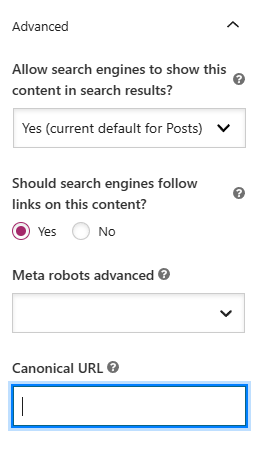
Canonical content are the variations of the same content based on different regions, devices etc.
Without effectively marking these pages as canonical, search engines can mark them as duplicate content. To avoid this, canonical tags are used.
For example, assume you have duplicate pages on your site.
www.example.com/travel/berlin-guide and www.example.com/berlin
You want all users to reach the page via former URL and not the latter. This is where you need a canonical tag on the second page to indicate the same.
- This preferred link shows up in the Search Results.
- Consolidates signals from other referring sites or domains to a single preferred source.
- Simplifies tracking metrics: It shows up as a single page in the Search Console
- Googlebot spends less time crawling a duplicate page when it spots the canonical tag
🌟 Note that URL fragments are not required to be marked as canonical. (Consolidate Duplicate URLs)
Semantic HTML & DOM Architecture
Logical Heading Tree
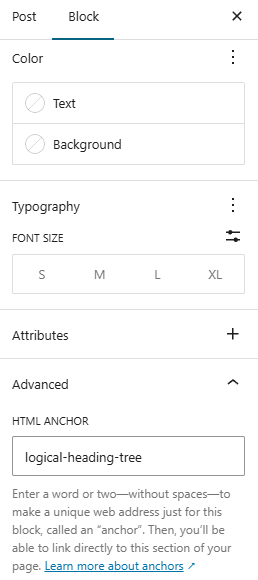
Headings should ideally cascade logically into a proper structure.
There are multiple advantages to this.
The biggest is accessibility. It just makes sense to break down large posts into several sections. Crawlers also find it easier to tag content likeness with headers and sub headers.
You can also add special attributes that helps the search engines better know what your sub section is about. You can do this by adding HTML anchors to headers.
WordPress makes this pretty easy. But it can be done pretty much in any tool or even manually. This also allows you to create a Table of Contents – either manually or via plugins.
Descriptive Anchor Text
An accurate and descriptive anchor text is better than an ambiguous “read more” link. Any reader will prefer to read a descriptive anchor text.
Google uses links as a signal when determining the relevancy of pages and to find new pages to crawl.
SEO Link Best Practices for Google
The Meta Tag Handshake
Think of meta tags as your site’s handshake with a crawler. If the handshake is weak or non-existent, the relationship ends right there.
Are Meta descriptions necessary?
Google says meta descriptions don’t affect rankings. They are being technical. Yes, meta tags are useless. But not descriptions.
Here is what Google says in its own Search Central Meta Description Page.
Google will sometimes use the
<meta name="description">tag from a page to generate a snippet in search results, if we think it gives users a more accurate description than would be possible purely from the on-page content.
Wherever possible, create descriptions that accurately describe the specific page. Use site-level descriptions on the main home page or other aggregation pages, and use page-level descriptions everywhere else. If you don’t have time to create a description for every single page, try to prioritize your content; at the very least, create a description for the critical URLs like your home page and popular pages.
If you are on WordPress, Yoast makes this fairly easy.
Go to the page or post, then go to the Yoast Search appearance and you can auto generate the meta description or write your own.
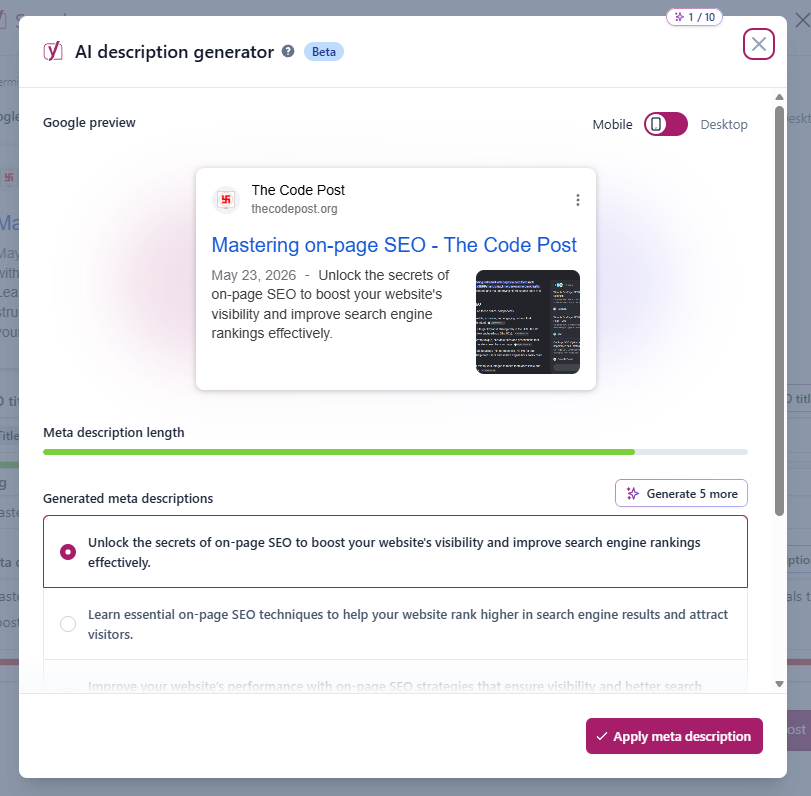
While they don’t move you from position 10 to position 1, they dictate your Click-Through Rate (CTR). If people see your link but don’t click because your description is “This is a website about tasks,” you’ll eventually drop.
Write descriptions that sell. Use a call to action.
<meta name="description" content="Stop losing track of your tickets. Our developer task manager integrates with Jira and GitHub to keep your sprint on track. Try it for free today.">Open Graph or X Cards
What is open graph?
Have you seen how some pages look super great when you share then on social media? The thumbnail images are well sized, the title appears catchy and both sometimes don’t exactly appear in the main page on a browser!
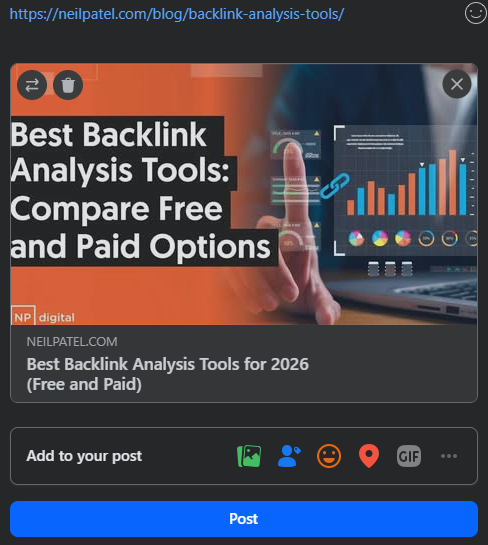
Check this thumbnail for a Neil Patel page on the backlink analysis tools on facebook.
These are typically controlled via these Open Graph tags. Most social media platforms support these, so you don’t need to generate titles or thumbnails for each of them separately.
While none of these are crucial for ranking better – in the sense that Google will not penalize you for not having them, they do help getting user attention.
Yoast does this for you seamlessly at the page or post level if you are on WordPress.
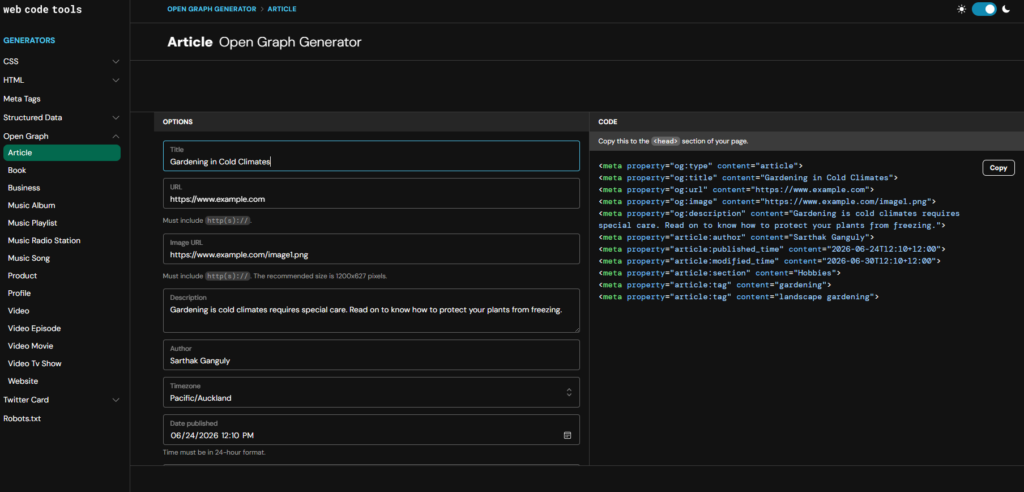
Generating these manually once you create a new page is not that hard either.
Just go to webcode and fill up the details for Open Graph.
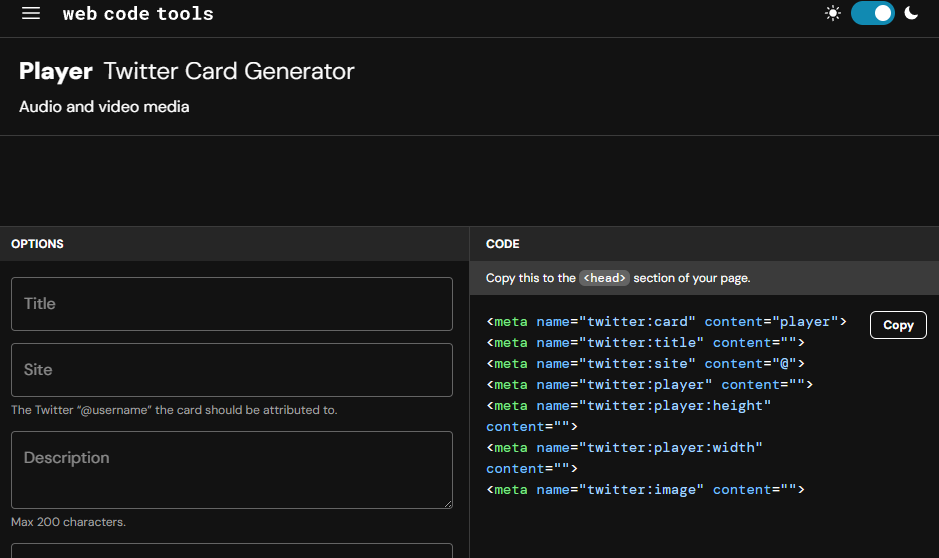
Twitter/x will often fall back to the og tags, but it is best to explicitly include them. The same site provides the options to do this.
E-E-A-T & Structured Data
The primary focus for your page should be to write helpful and reliable information for people and not search engines.
Self-assess your page by asking the following questions:
| Guided Question | Answer |
| Are you providing original research, information or analysis? | Original content is a must |
| Are you sharing a comprehensive or a complete documentation on the topic? | Complete documentation is desirable |
| If you are referencing other content, are you adding your own observations or feedback that is useful? | If references are used, they should be mentioned clearly. Your own observations should add value. |
| Is your heading or title describing your page properly? | Titles and headings should be related to the topic. |
| Is your page that good that your friends or colleagues would like to share with others? | The Content should be valuable to readers. |
| Does your page offer better value to readers compared to other pages currently in the results? | The Content should offer greater value to the reader than any other. |
| Does your content have major spelling or grammatical errors? | Frequent spelling and grammatical errors are a red flag. |
| If you are writing your content, are you qualified to write extensively about the topic? Are your credentials verifiable and available in the public domain or on your page or an About Me or an Author page? | Authority is established if your credentials are solid. It makes no sense for an experienced football manager with no gardening experience to write guides on gardening. |
| Is the information shared by you verifiable? | The content should not be falsifiable. |
| Are you writing primarily to rank in search engines? | Google and most other search engines have strong models to identify spammy content. |
| Are you using AI to create multiple posts on different topics hoping that something will stick? | This will directly lead to topic dilution. Excessive AI usage to create slop will hurt you. |
| Is your content incomplete? Will readers have to search for more content to get a detailed understanding? | Complete content outranks incomplete ones. Always. |
| Are you promising something that is not publicly available? | False information will hurt you in the long run. |
| Are you making minor edits in your content hoping Google to notice your page as fresh content? | Google understands the differences, this won’t help. |
| Is the author’s information clearly visible? | Helps in building and establishing authority. |
| If automation is used in creating the content, is it clearly mentioned where and why it was used? | Helps readers understand if the content is worth going through. |
| Why was the content created? | The purpose of the content is important. Human readers should be prioritised. |
Mobile First is the Only Way
Google uses the mobile version of your site for indexing and ranking. If your desktop site is a masterpiece but your mobile site is a broken mess, you’re invisible.
Don’t just use media queries to hide things. Optimize the experience.
Ensure buttons are large enough to tap. Make sure the text is readable without zooming. Check your site on a real phone, not just the Chrome DevTools emulator.
Follow these steps below:
- Responsive design: show the same content regardless of the device it is being viewed on. This way all data and metadata remain the same no matter what the device.
- Check the placement of your ads if you have them enabled.
Stop Overthinking and Start Shipping
SEO isn’t a dark art. It’s a set of requirements. Just like you wouldn’t ship code without tests (hopefully), you shouldn’t ship a page without checking these boxes.
Start with the basics: title tags, headers, and images. Then move into the technical stuff like Schema and Core Web Vitals.
The internet is full of great code that nobody will ever see. Don’t let your project be one of them. Take an hour today to audit your top three pages. Fix one thing. Then fix another.
Building a great site is only half the job. Making sure people can find it is the other half.
Go look at your <head> tag right now. Is it a mess? Is it empty?
Fix it. Your traffic will thank you.
